
The benchmark viewer
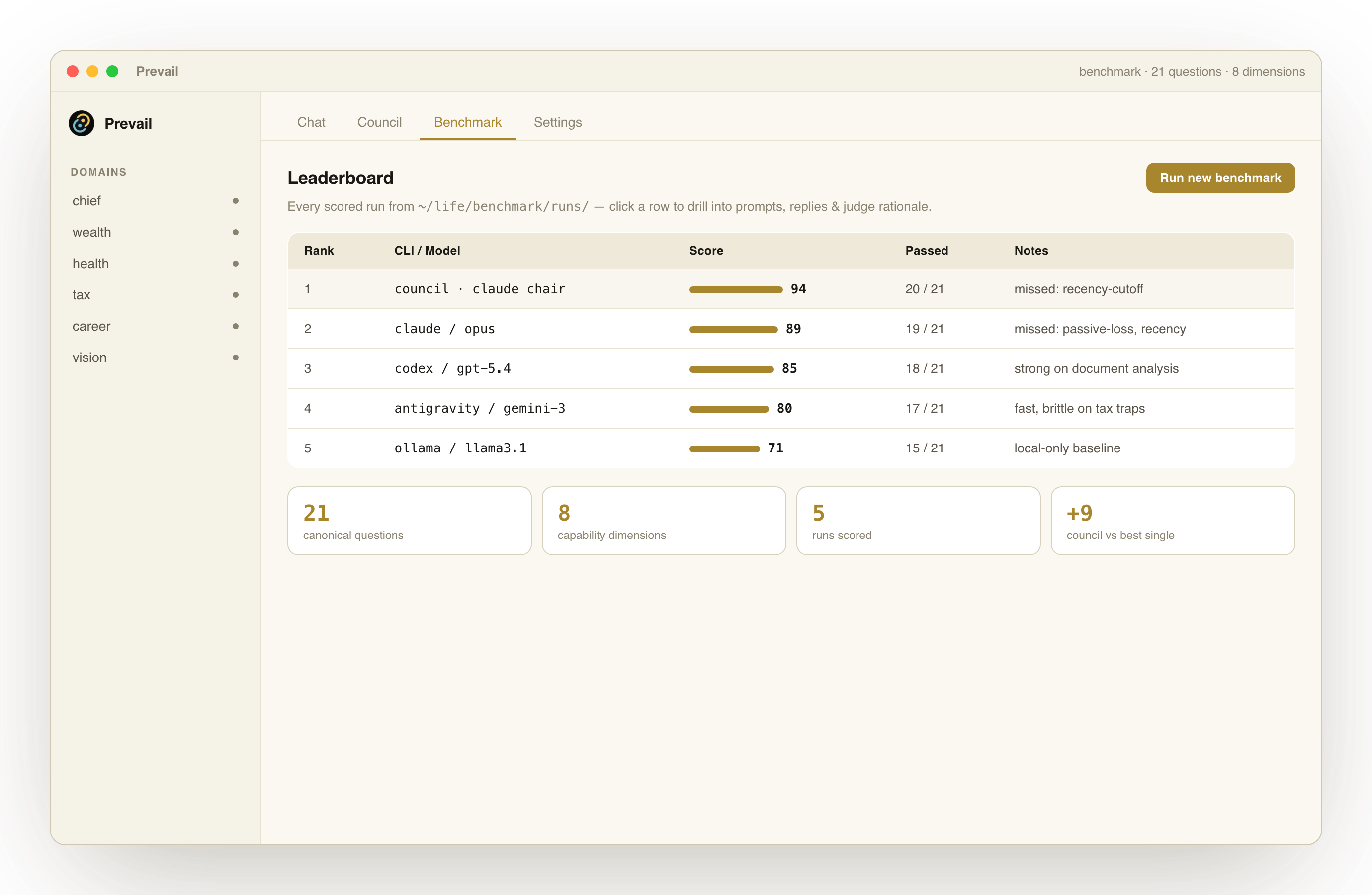
Which model actually serves your decisions best? The Benchmark tab answers that — not with someone else’s leaderboard, but with runs scored against Prevail’s canonical suite, in your own app.
What it shows
Section titled “What it shows”- A leaderboard ranking every model and council configuration by score.
- Per-question drill-down — click any row to see the prompt, each model’s reply, keyword hits, and the judge’s rationale.
- Council vs single model — see what convening a panel actually buys you over one strong model.
Runs are read straight from <vault>/benchmark/runs/, so the viewer reflects whatever you’ve scored — including the runs already present in demo mode.
Running a benchmark
Section titled “Running a benchmark”You can kick off runs from Settings → Benchmark (or from the CLI). Prevail asks each configured model the canonical question set, scores the answers, and writes the results back into your vault for the viewer to read.