
Models & providers
Prevail brings no models of its own. It runs the AI you already have — installed CLIs detected on your machine, or hosted models through a provider key. You pick which model answers, per turn, and context carries across switches.
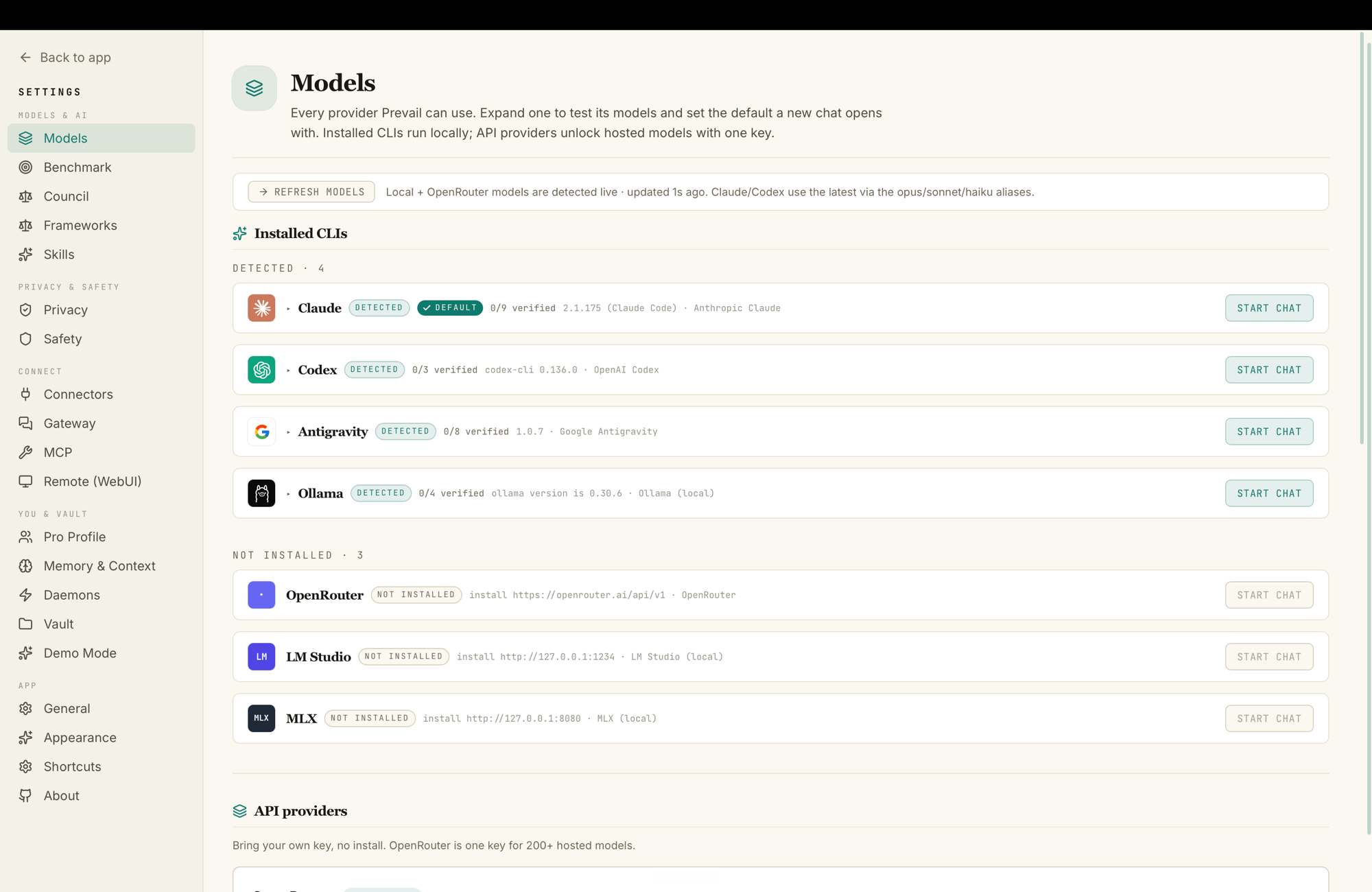
Installed CLIs
Section titled “Installed CLIs”Prevail auto-detects these on your PATH and shows their status. Each runs locally — Prevail spawns it as a subprocess and inherits its existing login, so there are no extra API keys to wire up.
| CLI | What it is |
|---|---|
| Claude | Anthropic’s Claude Code |
| Codex | OpenAI’s Codex |
| Antigravity | Google’s Antigravity (agy) |
| Ollama | Your local Ollama models — fully private, never leaves your machine |
Hit Refresh models in Settings → Models to re-probe after you install or log into one.
API providers (bring your own key)
Section titled “API providers (bring your own key)”No install required — paste a key and you’re done:
- OpenRouter — one key for 200+ hosted models (Claude, GPT, Gemini, Llama, and more). The simplest way to get every frontier model into Prevail.
- LM Studio and MLX — local hosted-model runtimes, for fully on-device inference beyond Ollama.
Add keys under Settings → Providers.
Switching models
Section titled “Switching models”- Per turn: pick the model in the input bar before you send. The next message can use a different one — the conversation context carries across.
- Per domain: each domain remembers its own default model.
- On the council: choose which models sit on the panel and which one chairs the verdict in Settings → Council.
Local & private
Section titled “Local & private”Ollama (and LM Studio / MLX) models run entirely on your machine — Prevail talks to them at localhost, and nothing leaves. Combined with the local-first vault, that means you can run sensitive domains — health, wealth — on a council that never touches the cloud.