
Quickstart
This is the 60-second tour of the desktop app. It assumes you’ve installed Prevail. (Prefer the terminal? See the CLI quickstart.)
1. Launch into demo mode
Section titled “1. Launch into demo mode”Open Prevail. Every launch starts in demo mode with a pre-populated household vault — realistic domains, data, and chat history — so you can explore with zero risk before pointing it at your own life.
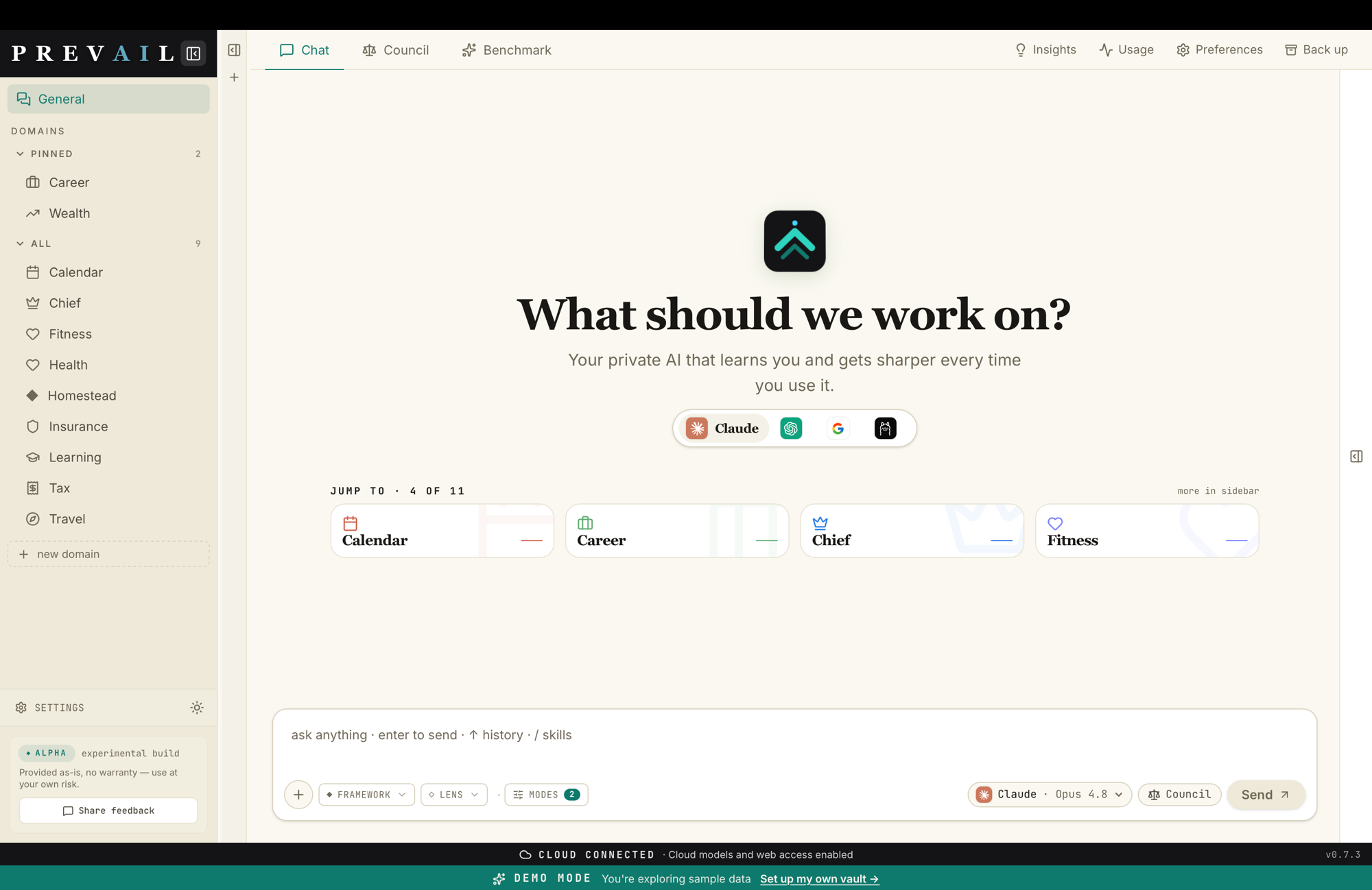
- Left sidebar: every life-domain, with pinned ones up top.
+ new domainadds one. - Header tabs: Chat, Council, Benchmark, plus Insights, Usage, Preferences, and Back up.
- Input bar: your prompt, a framework/lens picker, and the model selector.
2. Pick a domain and ask
Section titled “2. Pick a domain and ask”-
Click a domain in the sidebar — say
wealth. The chat is now grounded in that domain’s real state and history. -
Pick a model in the input bar — an installed CLI (Claude, Codex, Antigravity, Ollama) or any model via OpenRouter.
-
Type a question and press Enter:
should I sell or rent the condo?
The reply streams in live, grounded in everything that domain already knows about you.
3. Convene the council
Section titled “3. Convene the council”Switch to the Council tab (or pick Council in the model selector) and ask the same question. Prevail fans it out to every available model in parallel, then a chair synthesizes one verdict — with a panel showing exactly where the panelists disagreed.
4. Watch it start to learn you
Section titled “4. Watch it start to learn you”You don’t have to do anything to make Prevail remember. The moment you send a message it’s captured as an intent — a durable transcript — and distilled into that domain’s memory (_memory.md), which is read back into your next chat. Ask a follow-up tomorrow and it already knows where you left off.
5. Make it yours
Section titled “5. Make it yours”When you’re ready to leave the demo:
-
Settings → Vault — point Prevail at your own folder (or let it create one).
-
Import a starter pack if you want a ready-made domain set for your situation (Family, Freelancer, High-Income, Creator, and more).
-
Settings → Models — install a CLI or add an OpenRouter key to unlock more models.
Where to go next
Section titled “Where to go next”- Understand the model: Core concepts
- Tour the whole app: Desktop tour
- Go deep on the headline feature: The council
- Put it on your phone: Remote access · Telegram